Case studies / 08
Records spread across dozens of tables, joined on the values they share
We built Data Constellation, a free tool that finds the values several spreadsheets have in common (IDs, codes, dates and names) and shows how the records connect through them. It runs in the browser, so files are never uploaded. We tested it on a real evidence pack from our own work: one source document extracted into 32 tables.
- Client
- Evidence Systems (our own project)
- Funded by
- Evidence Systems
- Period
- October 2026 to date
- Service
- Data System Build (the linking method it shows)
- Related service
- Database Audit
- Status
- Live, free
- Runs
- In the browser; files are not uploaded
Live platform
Data Constellation
The tool is free to use. Start with its example data, or drop in your own spreadsheets: they are read in your browser and go nowhere else.
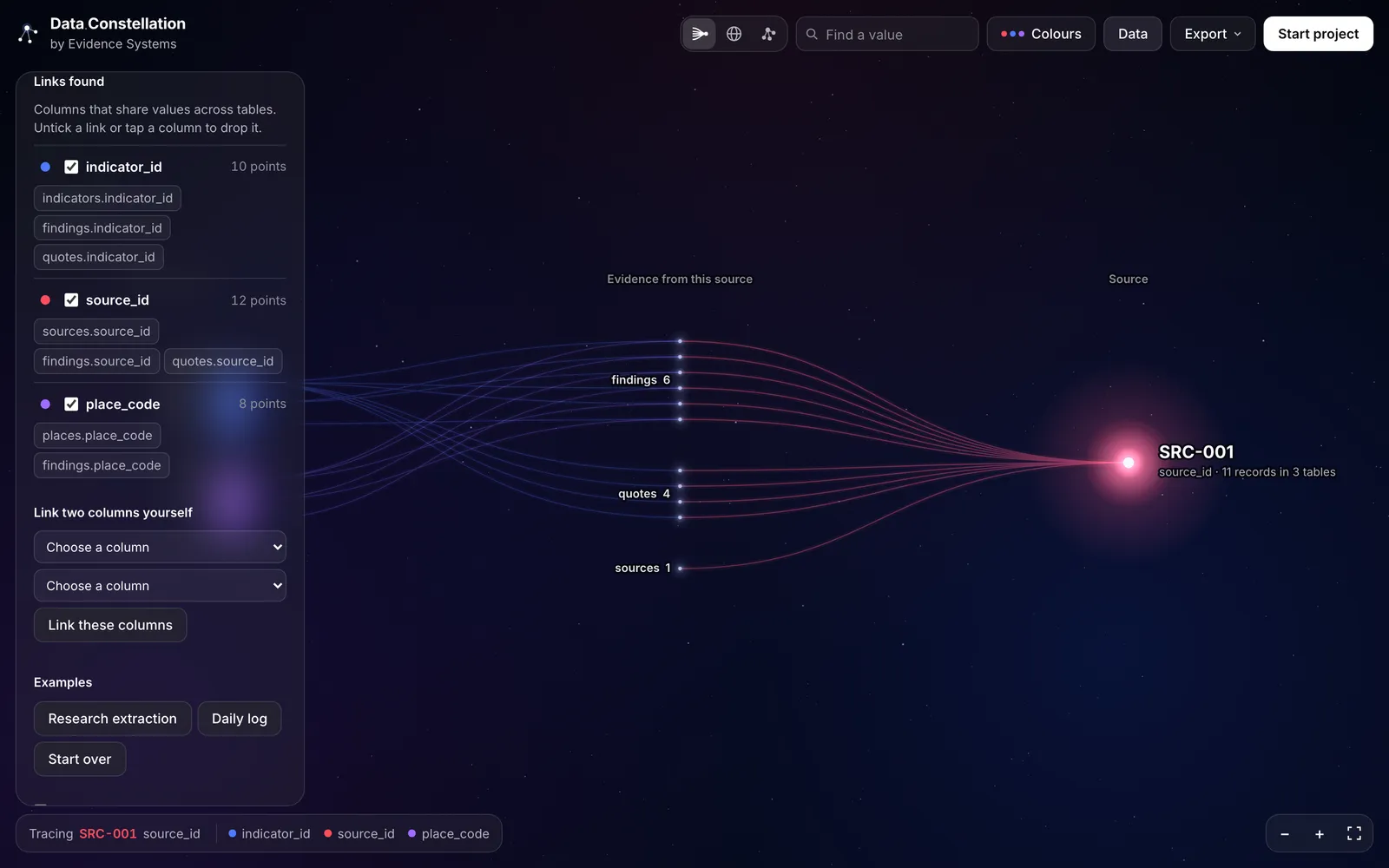
-
Trace
Follows one value out to every record that holds it, then on to what those records also share.
-
Constellation and Orb
The whole dataset as connected points, laid out flat or on a turning sphere.
-
Links found
Every shared column the tool detected, with noisy ones switched off and the reason given.
-
Search
Find any value and open the records that hold it.
-
Export
The picture as a PNG, and the links as a CSV.
-
Example data
Made-up datasets, so you can try it without your own files.
The tool shows how records connect. It does not change your files, and nothing you load is sent to us.
The problem
Evidence work rarely lives in one table. A single report becomes a table of sources, a table of indicators, a table of places, a table of findings and a table of quotes, joined by IDs that sit in different columns with different names. Some cells hold one ID; others hold a list. Dates are written three different ways.
The joins are what make the evidence traceable, but they are hard to see. Before you build reports on a set of tables, you need to know which columns really link, which links are noise, and which records hang off nothing.
What we did
Read whatever people actually have. CSV, TSV, Excel (every sheet becomes a table), JSON, and zip files holding any of these. Files inside a zip that are not tables, such as PDFs and readme files, are left out and counted.
Profiled every column. Each column is typed as a date, a number, a short label or long text. Only dates, short labels and whole-number columns named like an ID or code can link; decimals and long text never do. Dates written in different formats are normalised to one.
Linked columns on evidence, not names alone. Two columns in different tables link if they share at least two values and at least 30% of the smaller set of values, or if they have the same name and share at least one value. Cells that hold a list of IDs are split, so a record links to every ID in its list.
Switched off the noise, and said why. Status and category columns, catch-all ID lists and columns where every record holds the same value start switched off, with the reason shown. The user can turn any of them back on, switch off any link, or link two columns by hand.
Kept the files in the browser. Files are read in the browser tab; nothing is uploaded or stored. With a visitor's consent, analytics count visits and which features are used. Nothing about the files is sent: no file names, column names or values.
What we built
- Three ways to look at the same links: Trace, Constellation and Orb
- Hover and click cards: every record behind a shared value, grouped by table, and the closest related records for any record
- A drawer listing the tables, the links found, the brightest points and the switched-off columns
- Colour by link type, by table or point by point, with a legend
- Search, keyboard controls, and export to PNG and CSV
- A made-up example dataset that loads on first visit
-
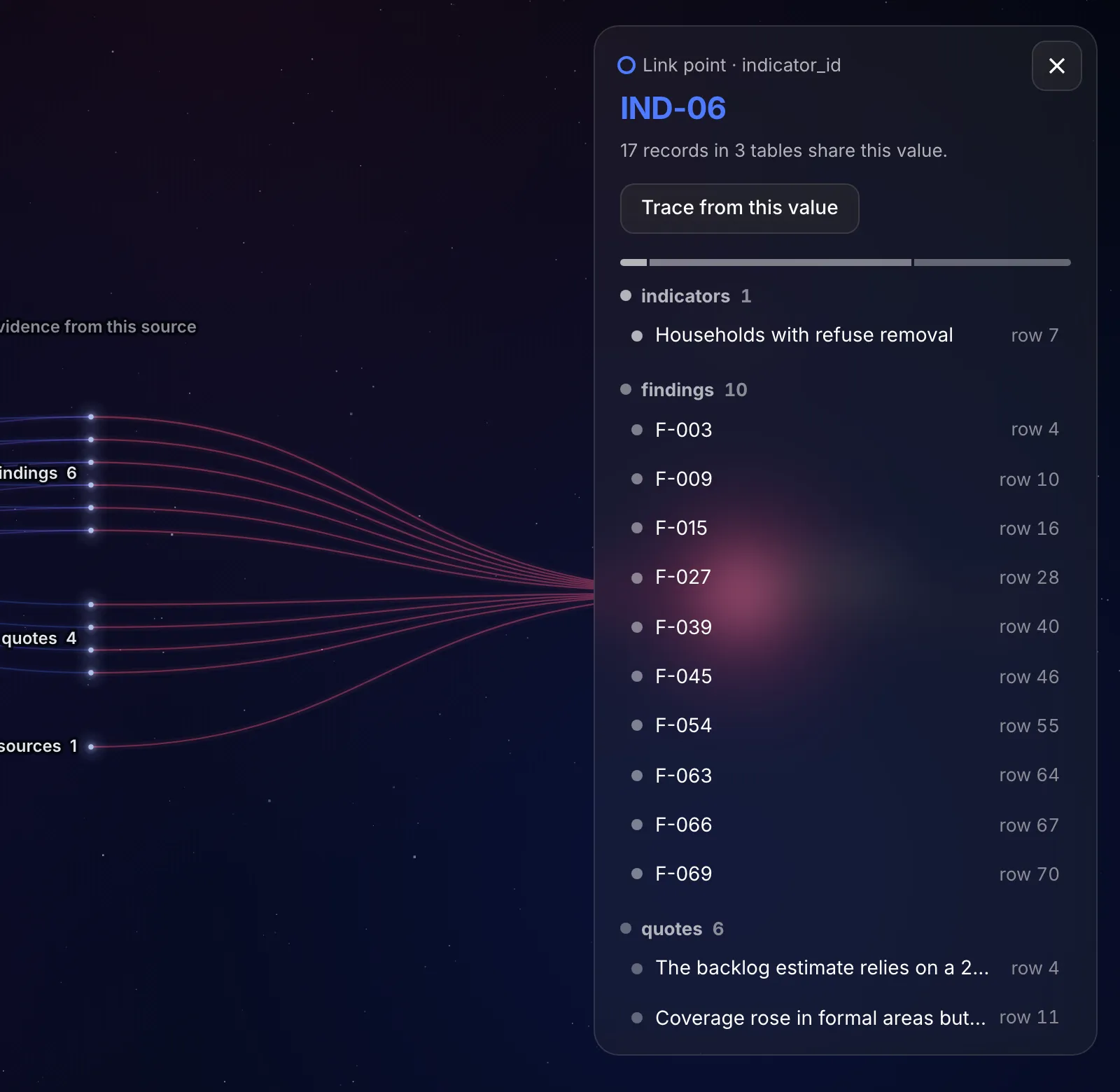
A link point's card: every record that shares the value, by table. -
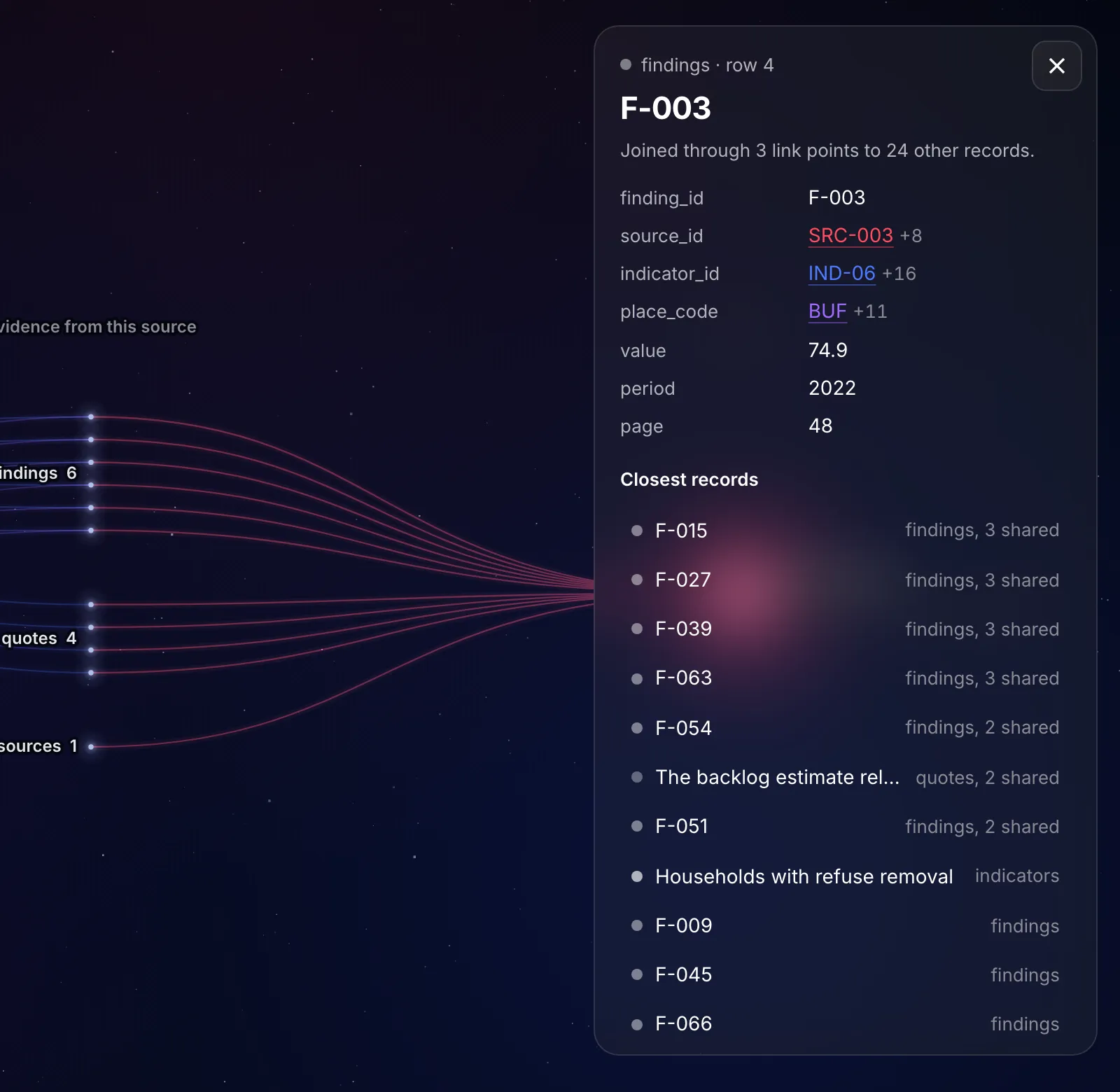
A record's card: its linked values, then its closest records. -
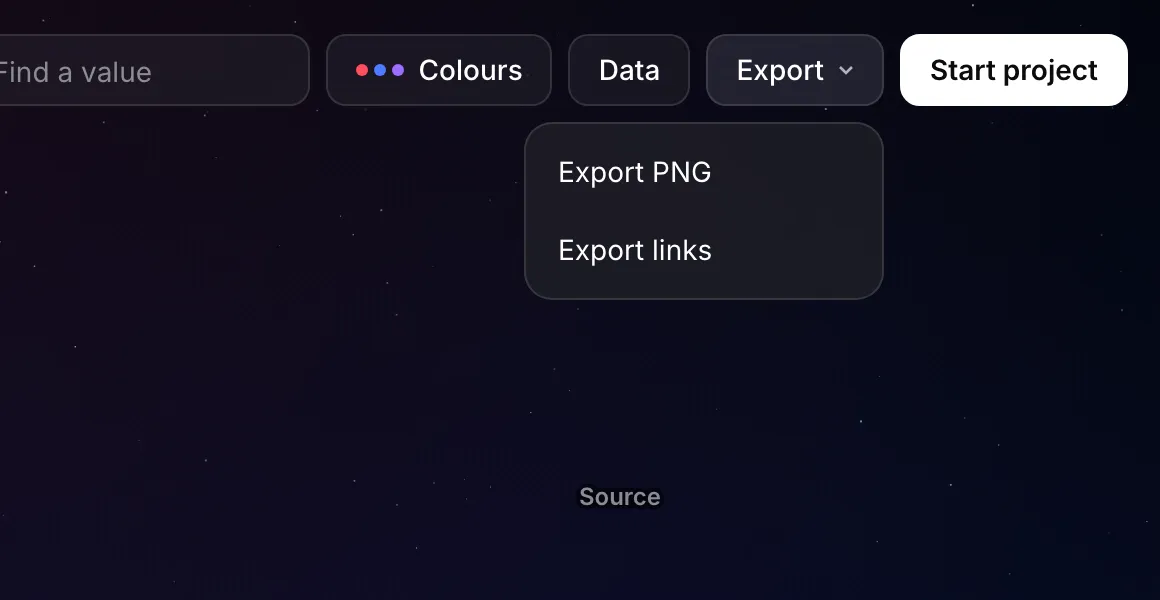
Export: the picture as a PNG, the links as a CSV.
The work in figures
On a real evidence pack from our own database: one source document extracted into tables. The pack is not published.
- 32 tables read
- 2 non-table files skipped
- 266 records reached by Trace from the source ID
- 30 tables those records sit in
From our test on 21 October 2026.
What changed
We can open any new set of extracted tables and see in minutes whether the IDs join up, before any reporting is built on them.
Gaps show as gaps: a record that links to nothing is visible, not hidden in a join.
Anyone can do the same check on their own spreadsheets, free, without sending us their data.
Limits
It shows how records connect; it does not clean or correct the data. The linking rules are automatic, so a link can be missed or wrongly made, which is why every link can be switched off or added by hand. Very large datasets fall back to a simpler view that shows link points instead of records. Colours and settings are not saved between visits.
Relevant to
Try it on your own spreadsheets: open Data Constellation. If the links don't line up, a Database Audit is where we'd start.